Featured guide · Projects and memory
Set up a project so AI remembers your work
You will have a working project for one area of your work, with instructions and reference files, so you can stop pasting the same background into every chat.


Plain English, step by step guides for Claude and ChatGPT. Each one is tested, dated and ends with a prompt you can copy straight into your own AI.
You
I need to write a monthly update for my manager. Before you draft anything, ask me five questions about what happened this month.
AI
Good idea. Answer in rough notes and I'll tidy them up.
Start here
New to using AI properly? Work through these in order. Each takes about ten minutes.
Why one line questions get generic answers, and the four part habit that gets you answers that fit your situation.
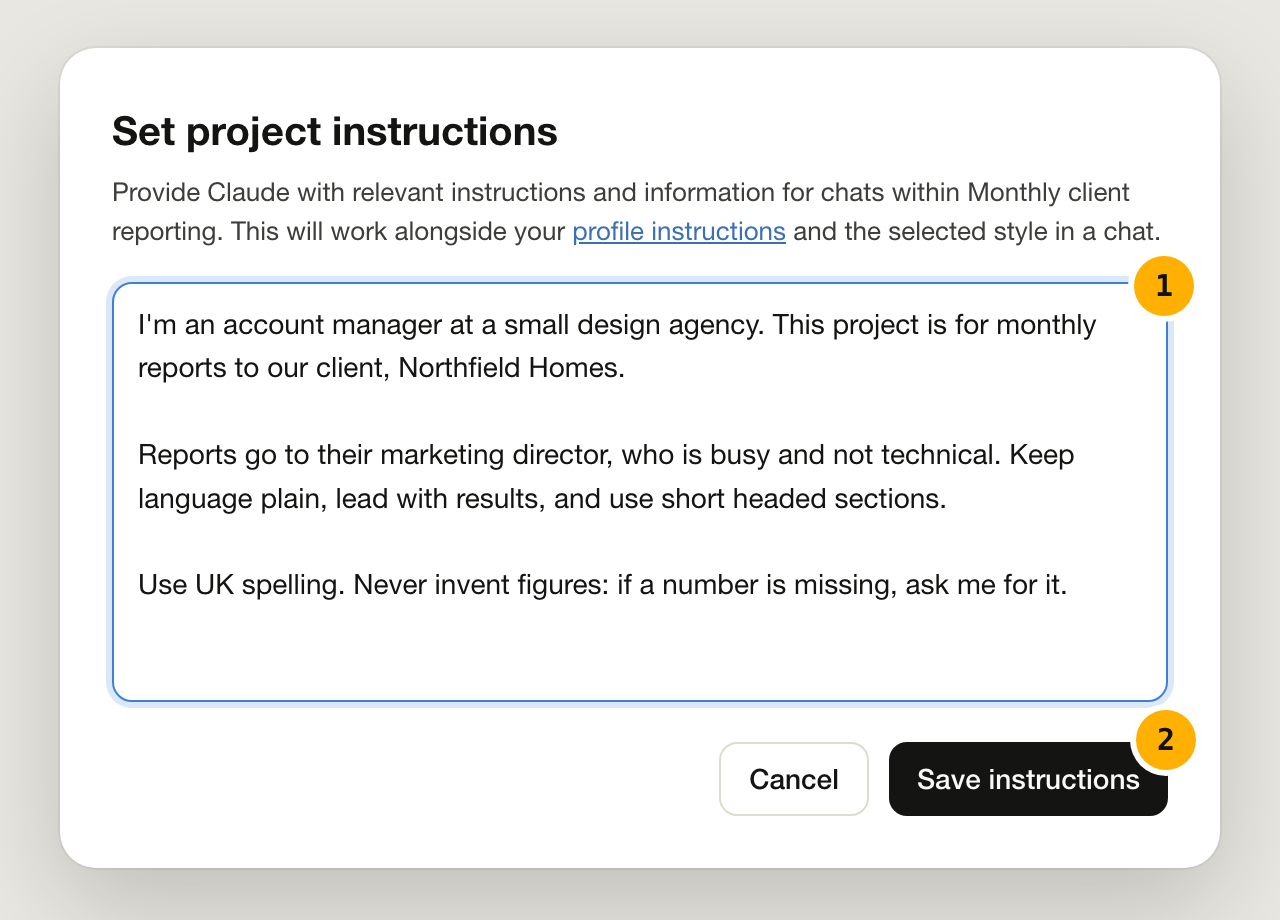
Create a project, add your instructions and files once, and every chat inside it starts already knowing the basics.
Pick a job you do every week, write the prompt once and save it. Small, repeatable wins add up faster than big experiments.
Browse by topic
Latest guides
Create a project, add your instructions and files once, and every chat inside it starts already knowing the basics.
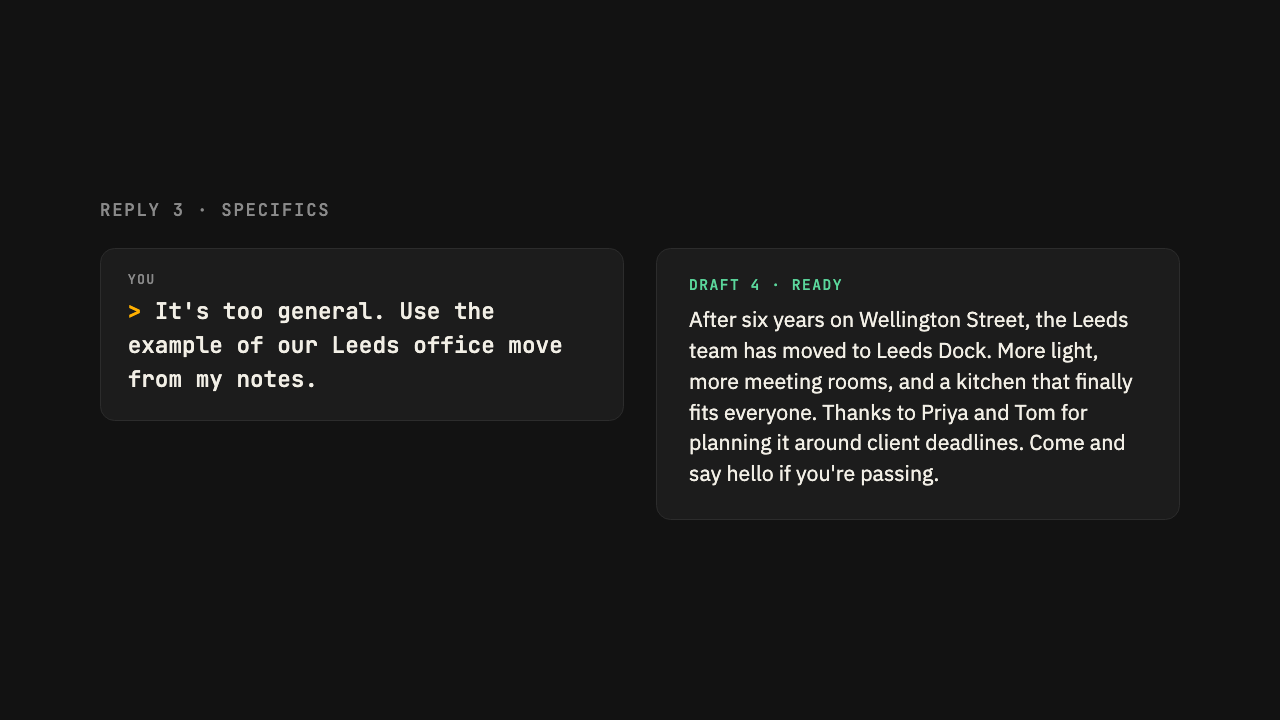
Watch a weak first draft become a useful one in three replies, and learn the phrases that get the biggest improvements.
Let it ask the questions first. You get a draft built on your facts, not its guesses.
Pick a job you do every week, write the prompt once and save it. Small, repeatable wins add up faster than big experiments.
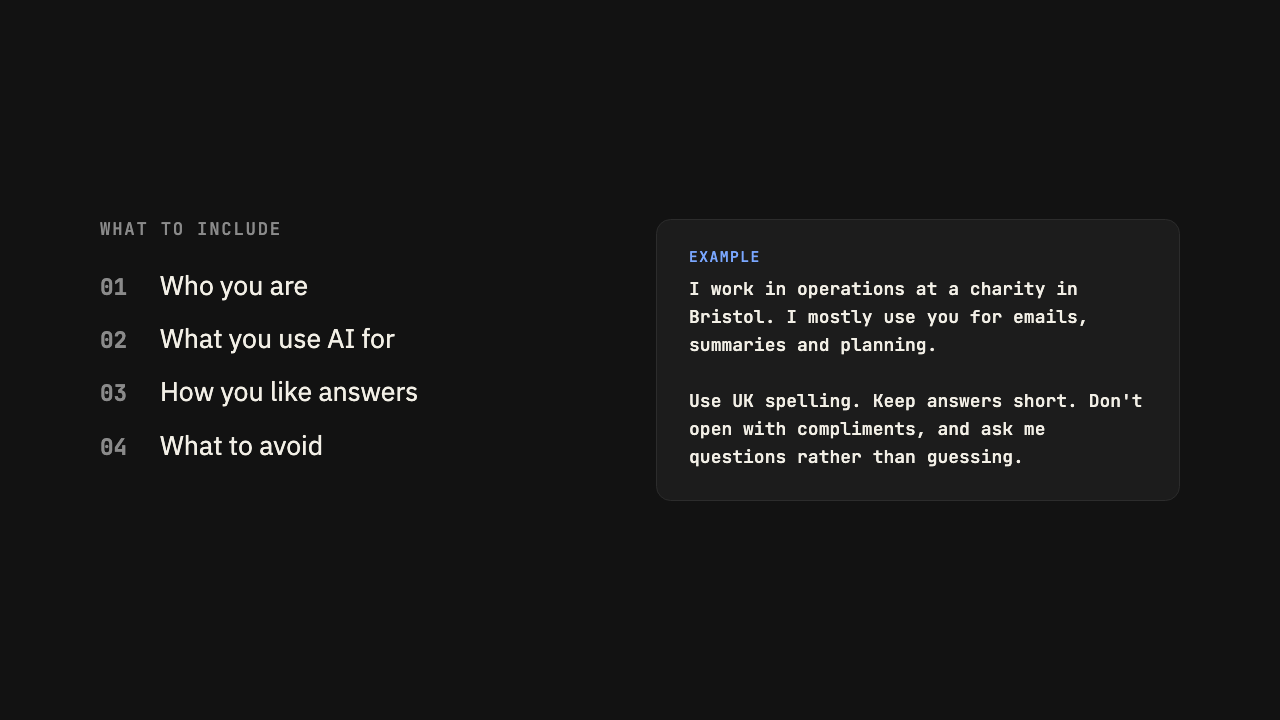
Tell your AI how you like to work so every new chat starts in the right place, without setting up a project.
Paste in your notes or transcript, name the people involved, and get actions you can send round straight away.
Four quick checks that catch made up facts and missing context before they reach anyone else.
One sentence about your reader changes the tone, length and detail of every email and document it writes.
Subject, setting, style and format. Then change one thing at a time until it is right.
No guides match those filters yet. Try another tool or topic, or see every guide.
Featured guide · Projects and memory
You will have a working project for one area of your work, with instructions and reference files, so you can stop pasting the same background into every chat.
Take it to your AI
Read the guide, then paste the prompt into Claude or ChatGPT. It explains what you want to do and asks your AI to walk you through it, using your own work.
I want to set up a project in this AI tool so you remember the background to my work and I stop repeating myself in every chat.

Interview me one question at a time about my role, the work I do most often, who I usually write for and how I like answers presented. Then draft the project instructions for me to paste in, keeping them under 200 words, and suggest which documents would be worth adding as files.
Written for Claude and ChatGPT, Oct 2026
How we write guides
Every step is tried in Claude and ChatGPT before it is published, and each guide says which.
AI tools change quickly. Each guide shows when it was last checked.
No jargon, no hype. What to type, what happens and why it works.
A prompt to copy at the end of every guide, so you can try it straight away.